15 AppSheet Alternatives to Build And Ship Without Bottlenecks

AppSheet served well initially, but many teams eventually encounter limitations that slow progress and increase costs. Features take too long to arrive, customization options feel restrictive, and scaling projects often brings unexpected expenses that strain budgets.
The right alternative depends on identifying current bottlenecks and prioritizing future needs, whether that means better mobile capabilities, flexible workflow automation, or predictable pricing as projects grow. Teams benefit from partnering with a web app development company that understands both technical requirements and business goals, ensuring smoother transitions and faster development cycles.
Table of Contents
- Why “AppSheet Alternatives” Is The Wrong Starting Point
- What AppSheet Actually Does Well
- Where AppSheet And Similar Tools Break Down
- What To Look For In AppSheet Alternatives
- 15 Best AppSheet Alternatives Worth Considering
- What Actually Turns An App Into A Product
- How Polsia Helps You Build And Launch Without Tool Fragmentation
- Start or Grow Your Existing Business with Polsia Today
Summary
- Most no-code projects stall after the build phase, not during it. The Standish Group found in 2020 that only 31% of software projects succeed, with the gap driven by how work moves from idea to deployed product rather than tool limitations. Three predictable patterns emerge: apps get built but never distributed, founders recreate the same logic across different tools, resetting progress with each platform switch, and comparison fatigue sets in as teams optimize for features instead of outcomes.
- AppSheet and similar platforms excel at construction but abandon teams at the exact moment momentum matters most. Research testing over 20 tools confirms that 80% of no-code projects fail to scale beyond initial prototypes, largely because the tools prioritize construction over continuous operation. Deployment, iteration, user management, analytics, and ongoing operations all sit outside the core tool, creating fragmentation where progress in one area does not carry smoothly into the next.
- User abandonment happens faster than most founders expect, with 77% of users abandoning an app within the first three days of installation according to Venn Apps. CB Insights found that 43% of startups fail because there's no market need, not because they couldn't execute technically. The product existed, but the usage didn't, revealing that value comes when users adopt what you built and integrate it into their routines, not when features are polished.
- Speed to user feedback determines learning velocity more than development effort. Harvard Business Review highlights that teams using rapid iteration and feedback loops significantly outperform those relying on long development cycles. When feedback arrives too late, you've already built in the wrong direction for too long, with costs compounded by everything downstream that now needs rework.
- Platform fragmentation kills momentum before users ever show up. Teams plan in one place, build in another, deploy somewhere else, then scramble to connect analytics, manage outreach, and keep operations running. Each handoff introduces delay, context loss, and friction that most no-code tools fail to address because they treat launch as the finish line when it's actually the starting point.
- Polsia, a web app development company, operates differently by handling planning, development, deployment, marketing, and operations as a continuous process at $49 per month, removing the execution gap that kills most projects after the app gets built.
Why “AppSheet Alternatives” Is The Wrong Starting Point
Switching to a different platform won't fix what's broken. Most projects slow down after the build phase, and no other tool changes that. You can move from AppSheet to Airtable, Bubble, or Retool, but if your workflow still depends on you manually deciding what happens next, you're rebuilding the same problem on a different foundation.

🎯 Key Point: The issue isn't your no-code platform — it's the underlying process that creates bottlenecks after your initial build is complete.
"Platform migration without process improvement simply moves the problem from one tool to another." — Development Best Practices, 2024
⚠️ Warning: Tool-switching can actually delay your project by weeks or months while you rebuild functionality that already works in your current platform.
Why do most software projects fail despite having good tools?
The Standish Group found in 2020 that only 31% of software projects succeed; the rest either fail completely or deliver unused products. That gap isn't explained by tool limitations—it's driven by how work moves from idea to deployed product. When a founder spends three weeks comparing no-code platforms and testing demos, they're optimizing the wrong variable. Your ability to ship, gather feedback, and iterate determines adoption, not the platform.
What patterns show up when execution breaks down?
This shows up in three predictable patterns. First, apps get built but never distributed: functionality exists, and data structures are clean, yet there's no user onboarding, feedback mechanism, or post-launch plan.
Second, founders recreate the same logic across different tools. Each time you switch platforms, you lose progress rebuilding workflows, redesigning interfaces, and reconfiguring integrations instead of improving the product. Third, comparison fatigue sets in. Every "best alternatives" article promises faster performance or better pricing, but none address how an app transitions from built to used.
Why the belief persists
No-code tools market themselves as shortcuts to building. You can prototype faster, skip backend configuration, and deploy without writing SQL queries. But building is step one. The harder steps—getting users, iterating based on real behavior, and scaling without breaking—happen after you choose a platform. When the focus stays on capabilities rather than outcomes, it's easy to assume that a different tool will unlock the next stage. It won't.
Why do teams keep switching platforms without seeing results?
More tools get added to the stack, more time spent moving data and retraining teams. Yet results don't improve. Apps are built, then abandoned. Changing tools feels like momentum. Fixing how you execute creates it.
What happens when manual orchestration becomes the bottleneck?
Most no-code platforms require you to make every decision: define the workflow, set up the automation, and decide when to make changes. This manual work becomes the limit. As your project grows, you become the bottleneck. Platforms like Polsia change that by operating autonomously, planning and running continuously without waiting for your input. The system doesn't just help. It runs.
But before you can figure out what autonomy solves, you need to understand what AppSheet does well and where its design choices cause problems at scale.
What AppSheet Actually Does Well
AppSheet connects to your existing data and builds a functioning app without writing code or migrating data. If your team tracks inventory in Google Sheets or logs field reports in Excel, AppSheet pulls that data and creates an interface around it.

🎯 Key Point: AppSheet's biggest advantage is immediate data integration - no migration headaches or complex setup required.
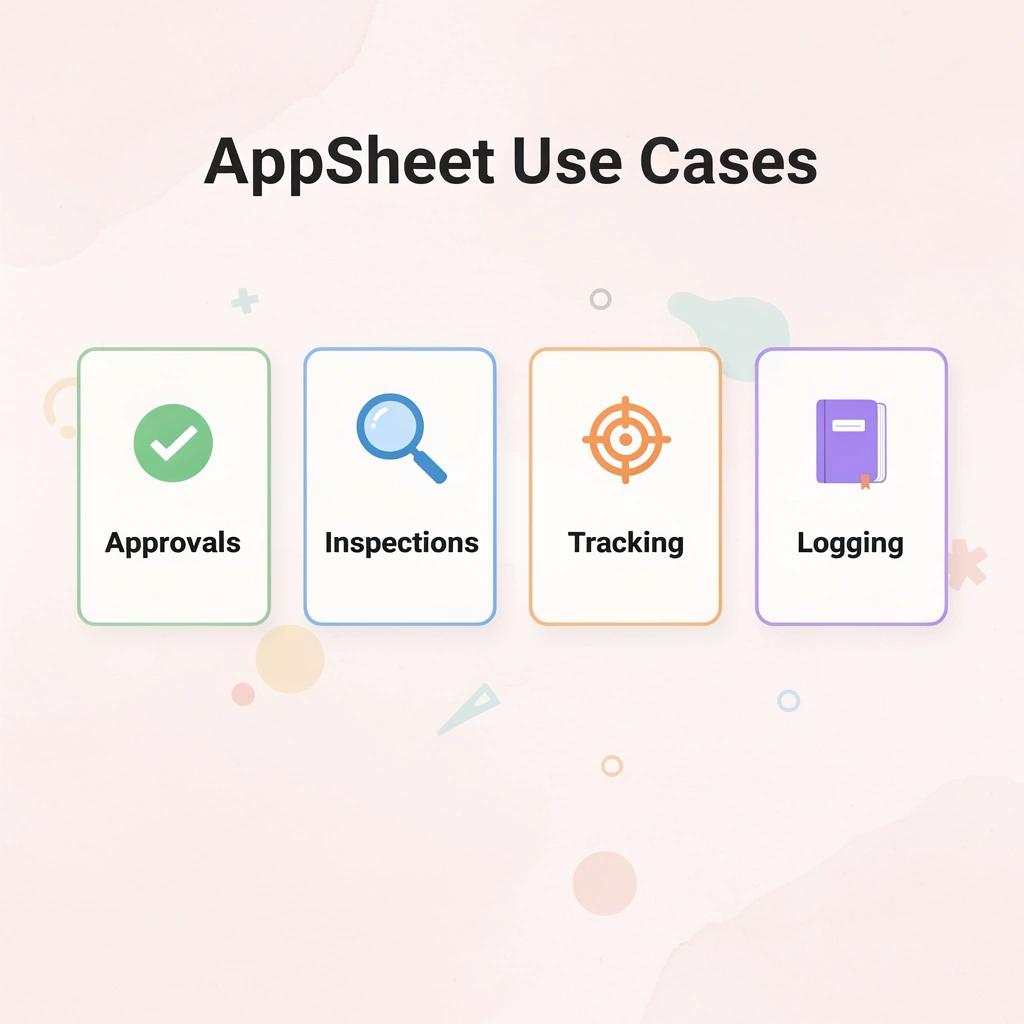
This speed matters for specific use cases. Teams deploy internal tools quickly for approvals, inspections, order tracking, or time logging when data is clean and workflows are straightforward. For operational workflows without complex logic or heavy customization, AppSheet delivers results fast.
"No-code platforms can reduce app development time by up to 90% for simple business applications." — Gartner Research, 2023
💡 Best Practice: AppSheet works best when your data structure is already organized and your business processes are well-defined.

When speed matters more than scale
AppSheet works well when you need working apps fast. A field technician logging equipment status, a manager approving requests on mobile, or a warehouse team scanning inventory in real time exemplifies what AppSheet does best.
The platform reduces developer dependency. Non-technical users can configure logic, automation, and interfaces without waiting for engineering resources. Blaze.tech's AppSheet review demonstrates that the platform can handle up to 200,000 tokens in certain setups, supporting moderately complex workflows without custom infrastructure.
Where the model starts to limit you
AppSheet makes building apps easier, but it doesn't handle what happens next. You still need to share the app with users, collect feedback, adapt to usage patterns, and maintain it over time. The platform gives you an app, not a self-sustaining system.
What happens when complexity grows beyond manual management?
The familiar approach is to build the app, test it internally, then manually push updates when something breaks, or users request changes. As complexity grows—more users, more data sources, more edge cases—that manual orchestration becomes the constraint.
You become the orchestrator, deciding when to act and what to prioritize. Platforms like Polsia shift that model by operating autonomously, planning and executing continuously without waiting for your next input.
Why does understanding AppSheet's design philosophy matter?
Understanding AppSheet's strengths matters only if you also recognise where its design philosophy falls short.
Related Reading
Where AppSheet And Similar Tools Break Down
The idea that "I just need a better builder" keeps many projects stuck. Tools like AppSheet excel at building apps quickly, but they aren't designed to help people use them, grow them, and scale them.

🎯 Key Point: The real bottleneck isn't building the app—it's getting user adoption and driving meaningful engagement after launch.
"85% of custom business applications fail to achieve their intended goals due to poor user adoption, not technical limitations." — Enterprise Software Research, 2024

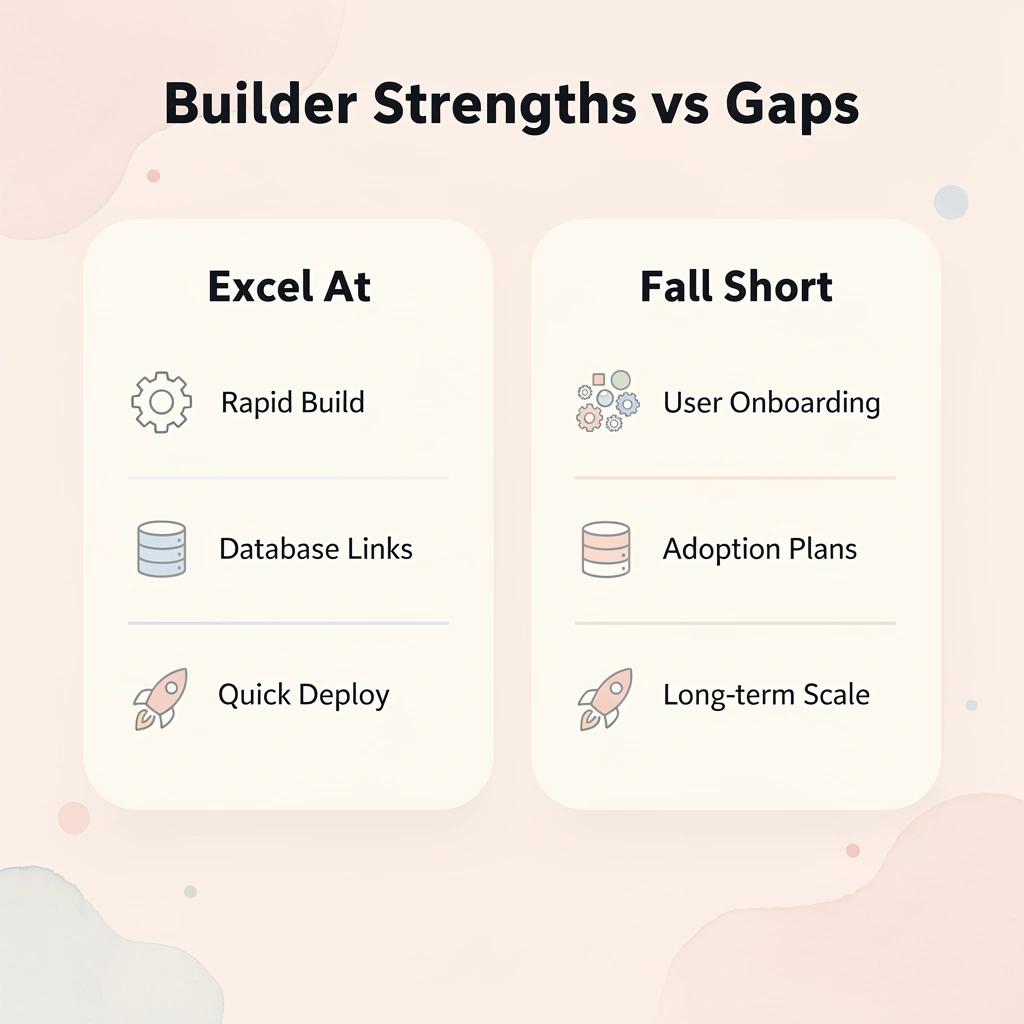
App builders: strengths vs gaps
- What they excel at
- Rapid prototyping
- Database connections
- Basic workflows
- Quick deployment
- Where they fall short
- User onboarding
- Adoption strategies
- Growth planning
- Long-term scaling
⚠️ Warning: Focusing only on the technical build means you'll have a functional app that nobody uses—the most expensive kind of failure.
The Focus Problem
These tools prioritize construction over distribution. You can design workflows, connect data, and launch an internal app, but driving consistent adoption is another matter. There is no built-in system for distribution, onboarding, or feedback loops. According to Noloco's analysis of no-code platforms, 80% of no-code projects fail to grow beyond initial prototypes, largely because the tools prioritize construction over continuous operation.
The Scaling Constraint
AppSheet excels at building structured, data-driven tools for internal use. However, it has limits when expanding to larger products, complex user flows, custom experiences, or external-facing tools. The platform prioritizes rapid initial deployment but struggles with the iterative complexity that follows.
Most teams manage post-deployment operations manually using spreadsheets, separate analytics tools, and email. This creates bottlenecks as user bases grow and feature requests accumulate. Context gets lost between systems, iteration cycles stretch from days to weeks, and the founder becomes the operational constraint. Platforms like Polsia operate autonomously, planning and executing improvements continuously without manual coordination.
What creates the maintenance burden in no-code platforms?
Deployment, iteration, user management, analytics, and ongoing operations sit outside the core tool. Each step requires additional setup or separate systems, creating fragmentation where progress in one area doesn't carry smoothly into the next. Time shifts from improving the product to maintaining workflows and managing tools. Research from Kovaion confirms this pattern, noting that 70% of no-code apps fail to scale beyond initial deployment because operational complexity outpaces the builder's capacity to manage it.
How does this affect real product growth?
A founder builds an internal tool using AppSheet to solve a real problem. It works well for their team. But turning it into a product for external users reveals its limits: onboarding new users, scaling for volume, and iterating become obstacles. The tool excels at solving internal needs but falters under growth demands.
Knowing where these tools stop working matters only if you know what to look for instead.
Related Reading
- Softr Alternatives
- Vs Code Alternatives
- Replit Alternatives
- Ai Tools For Product Managers
- Mobile App Ideas
- Best Llm For Coding
What To Look For In AppSheet Alternatives
When evaluating AppSheet alternatives, focus on tools that reduce gaps between building, launching, and growing a product: not just raw power. The most effective platforms streamline your entire workflow, eliminating the friction between development and deployment phases.

Most no-code tools handle app creation well but leave everything else disconnected. You build in one place, deploy in another, track users somewhere else, and manage growth separately. Strong alternatives should connect multiple stages of the lifecycle, reducing handoffs that slow you down and create operational bottlenecks.
🎯 Key Point: Look for platforms that offer integrated workflows rather than just powerful building capabilities—the real value lies in seamless transitions between development phases.

"The best no-code platforms eliminate workflow fragmentation by connecting building, deployment, and growth management in a single ecosystem." — No-Code Development Report, 2024
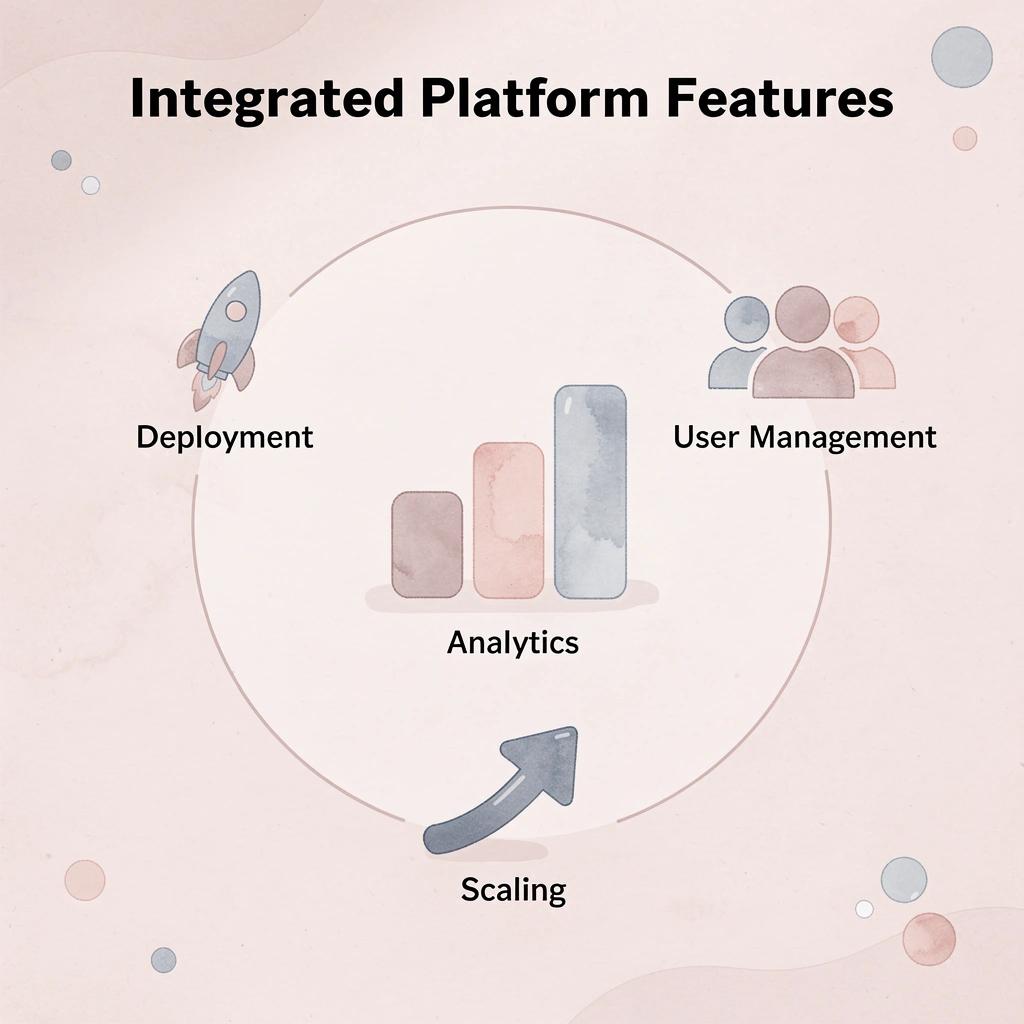
💡 Tip: Prioritize tools that provide built-in analytics, user management, and scaling capabilities alongside their app-building features to avoid the costly process of integrating multiple platforms later.
Support beyond app creation
Building the app is only the beginning. You still need to handle deployment, updates, user onboarding, usage analytics, and feedback collection. If a tool stops at "your app is ready," you're left managing everything that follows. According to Orchids Blog, most of the 21 alternatives in the market require manual handling of post-build work. The best alternatives either automate more of this work or simplify the transition.
Optimize for flow, not features
The key question is not how quickly you can build features, but how fast you can get something in front of users, learn from it, and improve it. Tools that shorten this cycle by simplifying deployment, reducing setup, or enabling faster iteration create real leverage. Ask "how quickly does this help me move from idea to outcome" rather than "what can this tool do."
What makes end-to-end workflow tools more effective
A tool that connects your whole process from start to finish works better than a more advanced builder that handles only one part of the journey. What matters is not how the app is built, but how quickly it becomes useful and improved. Platforms like Polsia shift this entirely by running continuous planning, coding, and marketing autonomously, removing the need for constant human decision-making at each stage.
But the best workflow means little if you pick the wrong tool for your actual needs.
15 Best Appsheet Alternatives Worth Considering
The right choice depends on what you need. Internal tools that connect to data you already have require different evaluation criteria than products your customers use or complete business solutions. Most comparison articles treat these platforms as equivalent when they solve different problems at different stages of product growth.
💡 Tip: Before evaluating any AppSheet alternative, clearly define whether you're building internal workflows, customer-facing apps, or complete business solutions—this will narrow your options significantly.
"Different problems require different solutions at different stages of product growth and organisational maturity." — Platform Selection Best Practices
🔑 Takeaway: Don't compare apples to oranges—match your specific use case to the platform's core strengths rather than forcing a one-size-fits-all solution.

1. Polsia
Polsia works differently from typical no-code platforms because it handles the entire business process autonomously. While AppSheet and similar platforms help you build an app, our platform plans the product, writes the code, ships the MVP, runs marketing campaigns across email and social media, manages customer interactions, and maintains infrastructure without requiring daily human decisions. For founders who want to launch a real business rather than build an internal tool, Polsia is the only platform on this list that covers everything from planning through operations.
2. Bubble
Bubble gives you full control over application logic, database design, and user interface without writing code. The learning curve is steeper than that of drag-and-drop builders, but you gain a real web application with custom workflows, API integrations, and user authentication, capable of handling complex business logic. Teams building products for customers find Bubble's depth worth the time investment, and the platform scales further than most no-code tools before requiring a traditional development team.
3. Glide
Glide wraps a clean application interface around Google Sheets or Airtable data with minimal setup, taking hours instead of weeks. This makes it practical for teams managing operations in spreadsheets. The platform works best for internal tools, client portals, and simple customer apps where the underlying data structure already exists. Complexity hits limits faster than Bubble, but speed to first version is unmatched.
4. Softr
Softr builds client portals, membership sites, and web applications directly on top of Airtable or Google Sheets without code. The template library covers most common use cases, and the interface enables non-technical team members to manage content and structure. For teams that need to turn existing data into a working product, Softr delivers professional output that looks intentional rather than improvised.
5. Adalo
Adalo builds native mobile apps for iOS and Android plus web apps, with a built-in database, custom workflows, and a component library. Teams needing mobile-first products at a reasonable cost find it practical. The platform handles app store submission and updates, removing obstacles that prevent many projects from launching.
6. Webflow
Webflow combines visual design, content management, and hosting on a single platform, offering exceptional design flexibility. It works well for marketing sites, landing pages, and content-focused websites. Product teams that publish regularly can leverage the built-in CMS, and the final product is ready to use without developer handoff.
7. Retool
Retool is designed for internal tools that integrate with existing databases, APIs, and third-party services. It's more technical than AppSheet but faster than building admin panels, data management interfaces, and operational dashboards from scratch. Engineering teams can ship internal applications in days rather than months using traditional development. The platform gives technical users greater power and flexibility.
8. Airtable
Airtable is a flexible database and project management platform with custom interfaces, automation workflows, and third-party integrations. It bridges spreadsheets and full applications, offering teams an organized solution without unnecessary complexity. The interface builder creates application views without additional tools. Many teams later add Softr or Stacker for external-facing interfaces.
9. Notion
Notion works as a single workspace for writing documentation, managing projects, and handling lightweight databases. Its database views, templates, and automation features suit teams whose AppSheet use case centers on internal organization and knowledge management. The platform excels at organizing structured information rather than custom application logic, making it suitable for small teams before they need dedicated tools.
10. Stacker
Stacker turns Airtable and Google Sheets data into fully branded client portals and internal applications with role-based access control and custom views. Service businesses and agencies use it to give clients or team members structured data access without exposing the underlying spreadsheet. Setup is fast, and the output is professional enough for client-facing use immediately.
11. Bravo Studio
Bravo Studio converts Figma designs into working native mobile apps without code. Product teams use it to release apps without hiring developers, maintaining design fidelity while adding data integration, user authentication, and API connectivity. It suits teams with strong design capabilities but limited developer resources.
12. Thunkable
Thunkable offers a drag-and-drop interface for building mobile apps for iOS and Android. You can connect data, add custom logic, and link to APIs. It suits beginners while providing advanced features for experienced builders who need custom functionality. The platform deploys to both operating systems without requiring separate builds.
13. Zoho Creator
Zoho Creator is a low-code platform that integrates closely with the Zoho ecosystem, supporting deployment across multiple platforms, workflow automation, and custom reporting. It suits businesses already using Zoho products who want to build custom applications without changing systems. The integration advantage is significant for teams invested in Zoho's suite. However, switching costs make it less attractive for teams using other business software.
14. Betty Blocks
Betty Blocks is an enterprise-grade no-code platform for organizations building complex, scalable business applications with strict security and compliance requirements. It supports multi-department workflows, role-based access, and integration with enterprise systems, bridging the gap between simple builders and full development platforms while eliminating traditional software engineering overhead.
15. Mendix
Mendix is a low-code platform for building business applications that enables collaboration between business users and professional developers. It offers strong tools for data management, workflow automation, and cloud deployment that scale to enterprise needs. Organizations that have outgrown simple no-code tools and require a complete development platform without the complexity of traditional software engineering find Mendix an excellent choice.
What These Numbers Actually Mean
According to Orchids Blog, 21 popular alternatives exist in the no-code app building space. Most platforms solve the same core problem: turning data into interfaces without writing code. Differentiation occurs after the initial build.
Research from Zite Blog testing over 20 tools confirms that evaluation fatigue is real. The platform that ships fastest and integrates smoothly with existing workflows outperforms the one with the longest feature list. Speed to useful output beats theoretical capability.
What gaps do most alternatives still have?
Every tool on this list solves a specific part of the application development process, but only Polsia owns the full lifecycle. AppSheet excels at turning spreadsheet data into simple apps, but it doesn't help founders build, launch, market, and operate a complete business.
Which alternatives work best for specific use cases?
Most alternatives help you build something, then leave distribution, user acquisition, iteration, and operations to manual effort. Internal tools and data interfaces work well with Retool, Glide, or Softr. Customer-facing web applications need Bubble or Webflow. Mobile-first products should consider Adalo or Thunkable. Founders launching a complete operating business need Polsia, which handles the full journey from idea to revenue on its own: planning, development, marketing, and operations run continuously without constant human intervention at each stage.
What pattern do most teams miss when choosing alternatives?
Most teams choose an alternative based on feature comparisons, then discover the real constraint wasn't the tool—it was their ability to execute once they'd built. The app gets finished, then sits unused because distribution, feedback loops, and iteration require different skills than construction. Polsia helps you build, then stays with you when momentum matters most.
How should you evaluate alternatives after launch?
The strongest alternatives recognize this gap and either include workflows after building or iterate fast enough that continuous improvement becomes realistic. Weak alternatives treat launch as the finish line rather than the starting point. Choose based on what happens after you click publish, not on features available during construction.
Why This List Looks Different Than Others
Most comparison articles rank alternatives by feature count or ease of use. Building the app is straightforward; the challenge lies in adoption, iterating on feedback, and sustaining momentum through the messy middle—where most projects fail. This list prioritizes platforms based on how well they address that post-launch reality.
Glide and Softr win on speed to first version. Bubble and Webflow win on design control and complexity handling. Retool wins on internal tool power. Adalo and Thunkable win on mobile-first focus. Polsia wins on autonomous end-to-end execution from idea through operations. The right choice depends on which part of the journey matters most for your situation.
What separates good alternatives from great ones in practice
Good alternatives make building easier. Great alternatives compress the entire journey from idea to operating product, reducing the manual work that remains after construction.
Why does execution capability matter more than construction speed
If you still need to figure out hosting, user feedback, marketing, analytics, and iteration separately, you've only solved the first 20% of the problem. The remaining 80% depends on execution over build speed.
Platforms that bring together workflows across building, deploying, and improving compress timelines from months to weeks. Those who stop at app construction leave you to assemble the rest of the toolkit yourself.
What's the real cost of choosing the wrong alternative
The hidden cost isn't the subscription price; it's the time spent assembling separate tools for each stage of the product lifecycle.
But choosing the right alternative means nothing if you don't understand what turns an app into something people use and pay for.
What Actually Turns An App Into A Product
An app becomes a product when people use it repeatedly to solve a real problem—not when the code is done, or features are polished, but when users come back because it works and matters to them.
🎯 Key Point: The transition from app to product happens in user behaviour, not in development milestones.
Most founders misunderstand where the real challenge is. Building features feels hard because you can see them, they involve technical work, and you can measure them. But Venn Apps reports that 77% of users abandon an app within the first three days of installation. The problem isn't in what you built. It's whether anyone cares enough to keep using it.
"77% of users abandon an app within the first three days of installation." — Venn Apps, 2025
⚠️ Warning: Building more features won't solve retention problems—understanding user value will.
The shift from output to outcome
You can ship a dozen features and still end up with nothing. Value comes when users adopt what you built, integrate it into their routines, and return because it removed friction from something that mattered. CB Insights found that 43% of startups fail because there's no market need, not because they couldn't execute technically. The product existed. The usage didn't.
Driving actual usage is the first requirement. An app without users solving real problems is a project, no matter how complete the codebase. Feedback reveals where people struggle, where they drop off, and what keeps them returning.
Speed determines learning, not effort
The second factor is reducing the time between idea and user feedback. The faster something reaches users, the faster you learn what works. Harvard Business Review highlights that teams using rapid iteration and feedback loops significantly outperform those relying on long development cycles.
When feedback arrives too late, you've already built in the wrong direction for too long. Platforms like Polsia compress this cycle by automatically handling deployment, user onboarding, and analytics collection, turning weeks of setup into continuous operation.
Managing the full lifecycle, not just the build
The third factor is managing everything from build to growth as a connected system. An app becomes a product when it is continuously improved based on real-world usage, including deployment, onboarding, analytics, iteration, and distribution. Disconnected steps stall progress; connected ones compound improvement because each stage informs the next without manual handoffs.
What changes when you shift from building apps to running products?
Before, you're building apps: features get completed, but adoption stays limited, and outcomes remain unclear. After, you're running a product. Users interact with it, their behavior shapes the next iteration, and performance improves with each cycle. Progress is measured in usage, retention, and engagement, not just shipped features.
Why do fragmented tools prevent this transformation?
But none of this matters if the tools you're using break up the process before you reach that point.
How Polsia Helps You Build And Launch Without Tool Fragmentation
The problem: every step requires a different system. You plan in one place, build in another, deploy somewhere else, then connect analytics, manage outreach, and keep operations running. Each handoff causes significant delay, lost information, and friction that slows momentum before users arrive.
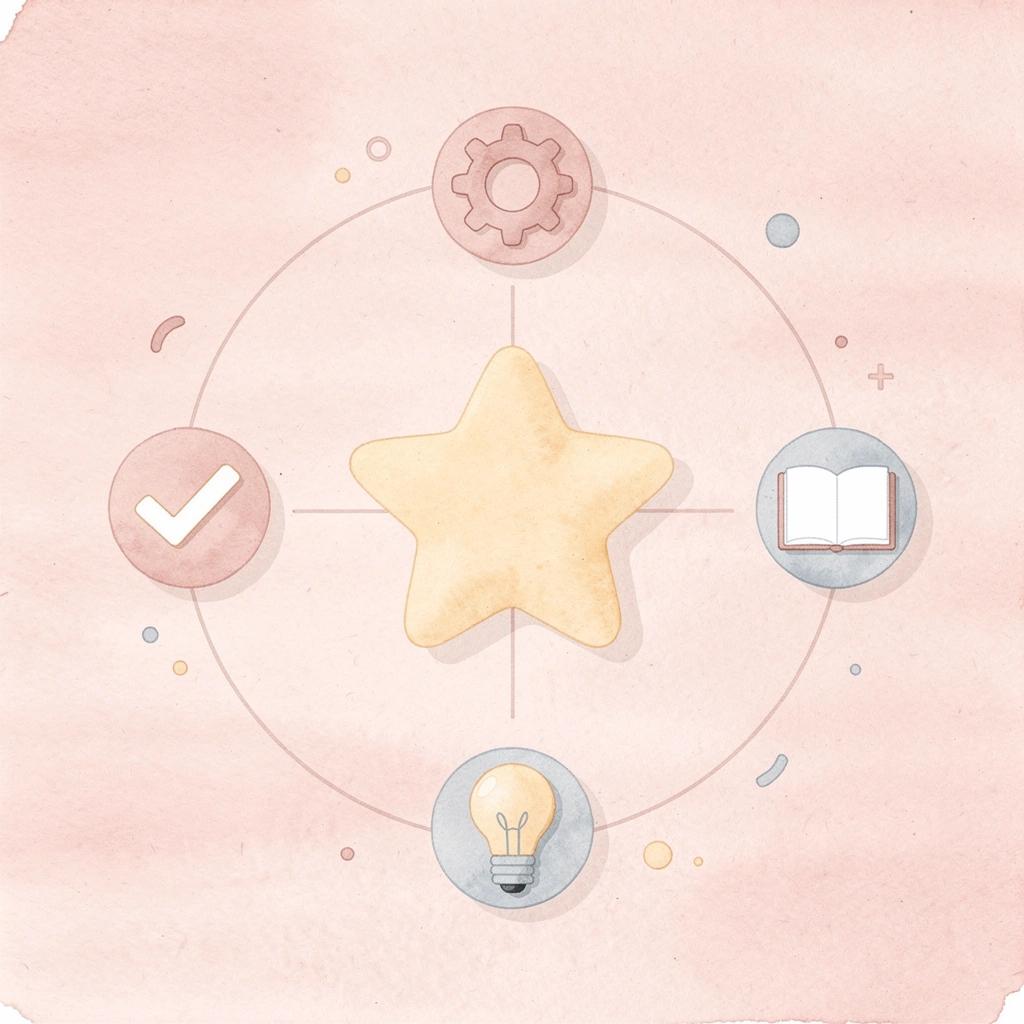
🎯 Key Point: Tool fragmentation creates unnecessary complexity that kills project momentum and wastes valuable development time.
"Each handoff causes delay, lost information, and friction that slows momentum before users arrive." — The hidden cost of fragmented workflows
Polsia collapses that entire fragmentation. Describe your idea once, and the system handles planning, development, deployment, marketing, and operations as a continuous process. No switching platforms. No manual configuration. No gap between what you built and whether anyone uses it.
💡 Tip: With Polsia's unified approach, you can focus on building great products instead of managing multiple tools and integrations.
From idea to structure without ambiguity
Most projects stall because ideas remain unclear too long. Turning a vision into actionable structure takes time most people don't plan for. Polsia converts descriptions into structured product plans immediately, eliminating the guesswork that stretches planning from days into weeks and enabling execution to begin with clarity rather than approximation.
Building across the stack without platform switching
Polsia builds applications from start to finish without rewriting workflows across different tools or breaking logic when services update. The system keeps things connected from concept through implementation, where most no-code setups fall apart. According to Preston Zeller's LinkedIn post, this happens at a $49/mo subscription, positioning it as accessible rather than enterprise-only infrastructure.
Deployment without bottlenecks
Deployment is where speed often dies. Polsia handles this without requiring server configuration, service connections, or infrastructure troubleshooting. The platform goes live as part of the same workflow that built it, moving from concept to accessible product without manual setup.
Marketing and operations as part of the system
Polsia differs from traditional builders by handling outreach, user engagement, and ongoing operations alongside deployment. When marketing and operations run within the same system that created the product, the gap between creation and growth closes. You're not juggling separate tools to diagnose stalled adoption.
Progress becomes continuous rather than happening in separate stages. The system runs building, distribution, and iteration simultaneously, so your focus shifts from managing tools to directing outcomes: the shift from builder to operator.
Related Reading
- Best Mobile App Builder
- No Code Ai Tools
- How To Create An App
- Hire App Developer
- Ai App Builders
- Best Vibe Coding Tools
- Lovable Ai
Start or Grow Your Existing Business with Polsia Today
If getting your app live and used is the challenge, Polsia handles the entire lifecycle for $49 per month: organizing your idea into plans, deploying code, and running marketing campaigns that bring users in. Most platforms give you a finished product and leave distribution, iteration, and retention to you. Our platform runs continuously without requiring you to manage tools or coordinate handoffs.
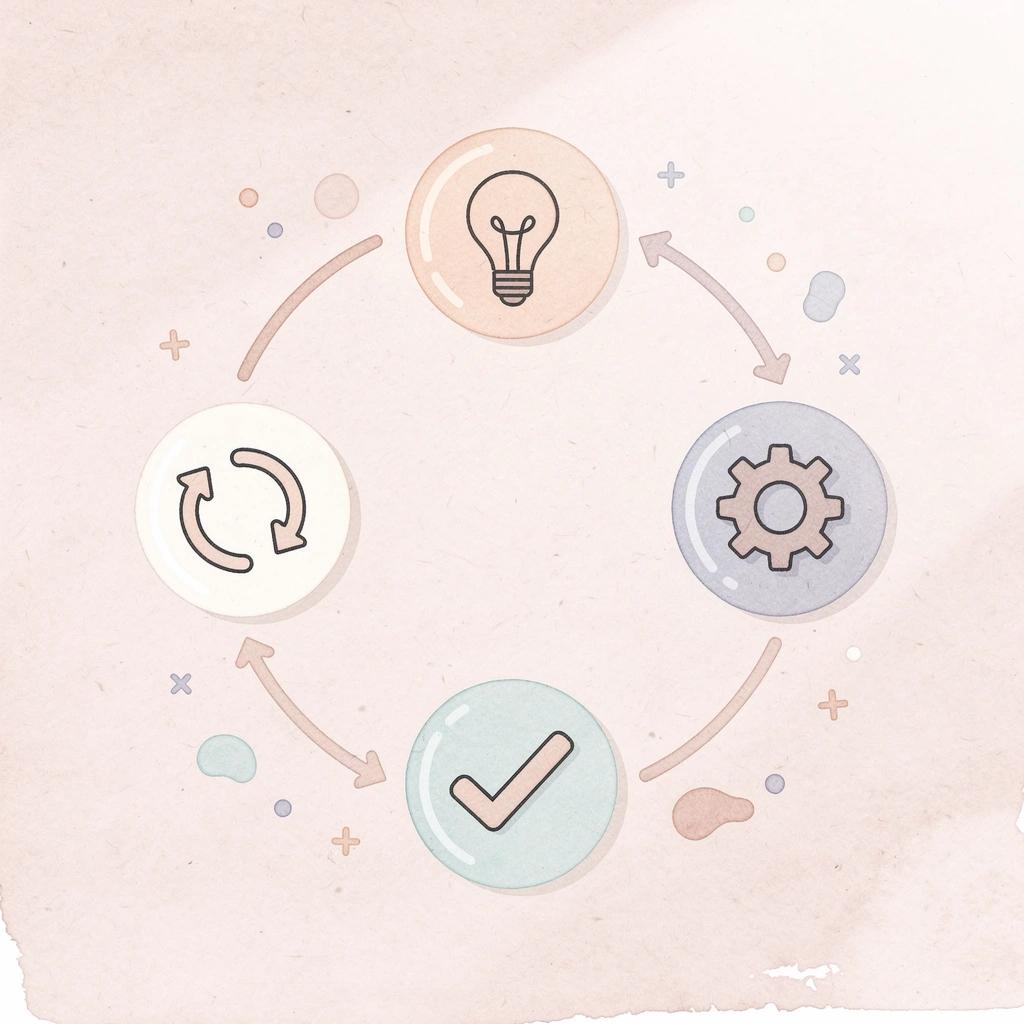
🎯 Key Point: Unlike traditional development platforms that stop at deployment, Polsia manages your app's complete business lifecycle—including the user acquisition and retention strategies that most founders struggle with.
This shift from builder to operator means your time goes toward decisions that matter rather than maintenance. You stop asking which platform to use and start asking for the next outcome you want. That's the difference between owning a project and running a business.
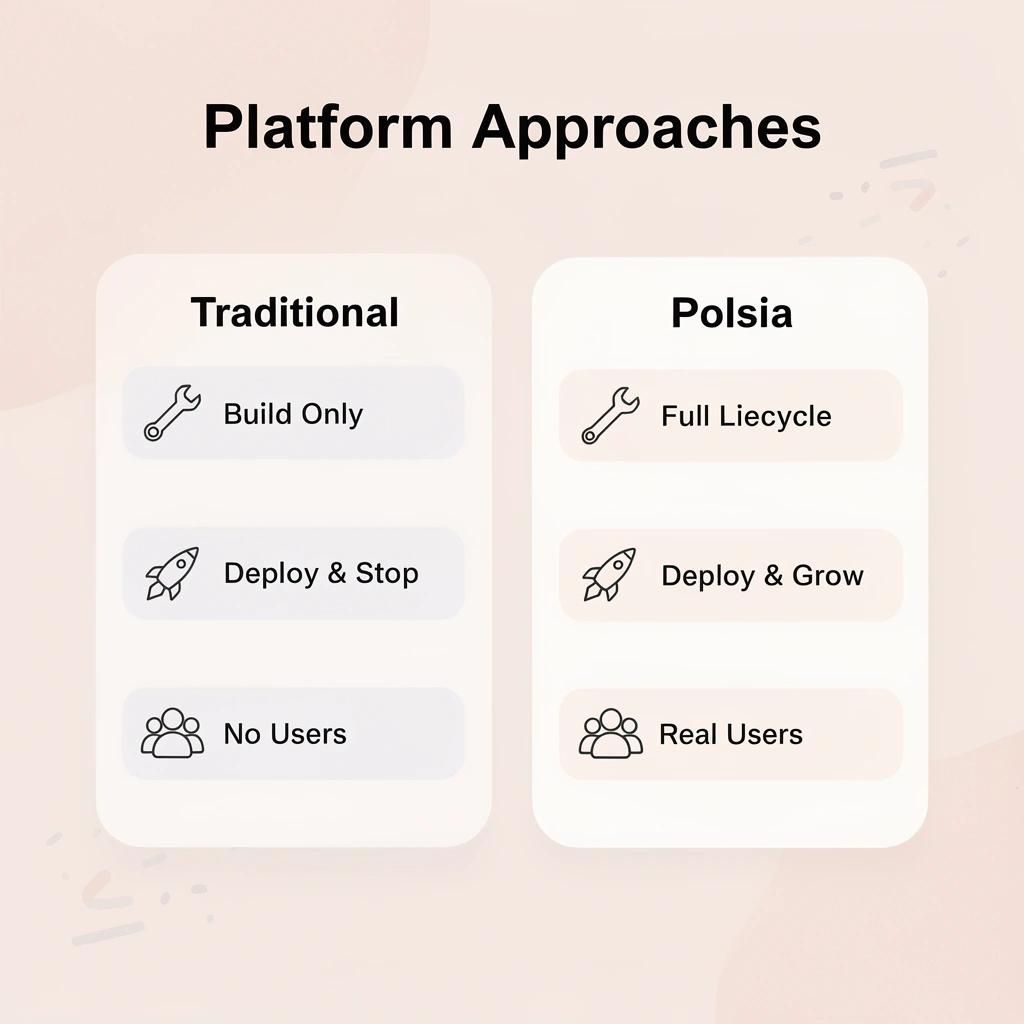
"$49 per month covers everything from idea organization to user acquisition—eliminating the need to coordinate multiple tools and handoffs." — Polsia Platform, 2024
💡 Tip: Focus your energy on strategic decisions and business outcomes rather than getting bogged down in technical maintenance and tool management.