9 Best VS Code Alternatives for Building and Launching Faster

Visual Studio Code dominates the code editor market, but developers often seek alternatives that better match their workflow needs. Some find VS Code too resource-heavy, while others want lighter editors with specific features for rapid development. The right alternative can significantly improve productivity across web applications, mobile apps, and full-stack projects.
Choosing the optimal code editor requires understanding how different tools impact development speed and efficiency. Teams that prioritize fast shipping and user-focused products benefit from editors that streamline their specific workflows rather than adopting one-size-fits-all solutions, which is why partnering with an experienced web app development company can provide valuable insights into tooling decisions.
Table of Contents
- Why Switching Editors Won't Fix Most Development Bottlenecks
- What VS Code Gets Right and Where It Falls Short
- What to Look for in a VS Code Alternative
- 9 Best VS Code Alternatives for Different Needs
- Why AI Is Expanding Beyond Code Generation
- How Polsia Helps Founders Go Beyond Traditional Development Tools
- Start or Grow your Existing Business with Polsia Today
Summary
- VS Code commands 73% of the developer market, according to Stack Overflow's 2024 survey, but that dominance reflects its strength in one specific area: code editing. The platform doesn't address the broader challenge most builders actually face: everything that happens before and after the code is written. Infrastructure setup, deployment pipelines, marketing execution, and customer management consume far more time than syntax typing, yet remain entirely outside the scope of what traditional editors can optimize.
- Most developers spend less than 30% of their day writing new code, according to productivity research. The rest disappears into environment configuration, dependency management, context switching, and operational overhead. Stack Overflow's 2023 survey identified meetings, unclear requirements, and tooling friction (not the editor itself) as the top productivity killers, with code editors ranking near the bottom of the list of actual bottlenecks. Yet developers continue to replace editors when progress stalls, because it feels like forward movement without requiring them to solve harder problems.
- AI code generation reached 92% adoption among developers, according to TechRadar, yet successful product launches haven't increased in proportion. Writing code was never the hard part. Deciding what to build, validating market demand, acquiring customers, and managing post-launch operations consume far more resources than implementation. Faster coding simply exposes every other constraint, making infrastructure setup, marketing strategy, and customer support more visible and urgent for solo founders trying to handle everything themselves.
- The shift from AI-assisted coding to autonomous business execution represents a fundamental change in how companies are built. Traditional AI coding assistants make developers more efficient at writing code. Emerging autonomous systems handle the entire lifecycle, including roadmap planning, feature deployment, marketing campaigns, customer conversations, and operational workflows. This removes founders entirely from the execution workflow, rather than just optimizing their productivity within it.
- One founder built a company approaching $10M annual run rate with 1 human and 0 employees, according to LinkedIn announcements in the autonomous development space. That outcome becomes possible when platforms handle full-stack product development, marketing automation, customer communication, and operational management simultaneously. The bottleneck shifts from coding speed to strategic direction, fundamentally changing what "development tool" means for non-technical founders.
- Web app development companies like Polsia address this by providing autonomous systems that handle roadmap planning, code deployment, marketing execution, and customer communication as unified business operations rather than expecting founders to manually orchestrate each piece through separate tools.
Why Switching Editors Won't Fix Most Development Bottlenecks
Switching editors rarely solves what's slowing you down. The bottleneck isn't your typing speed or autocomplete latency: it's everything before you write the first line and after you commit the last one.

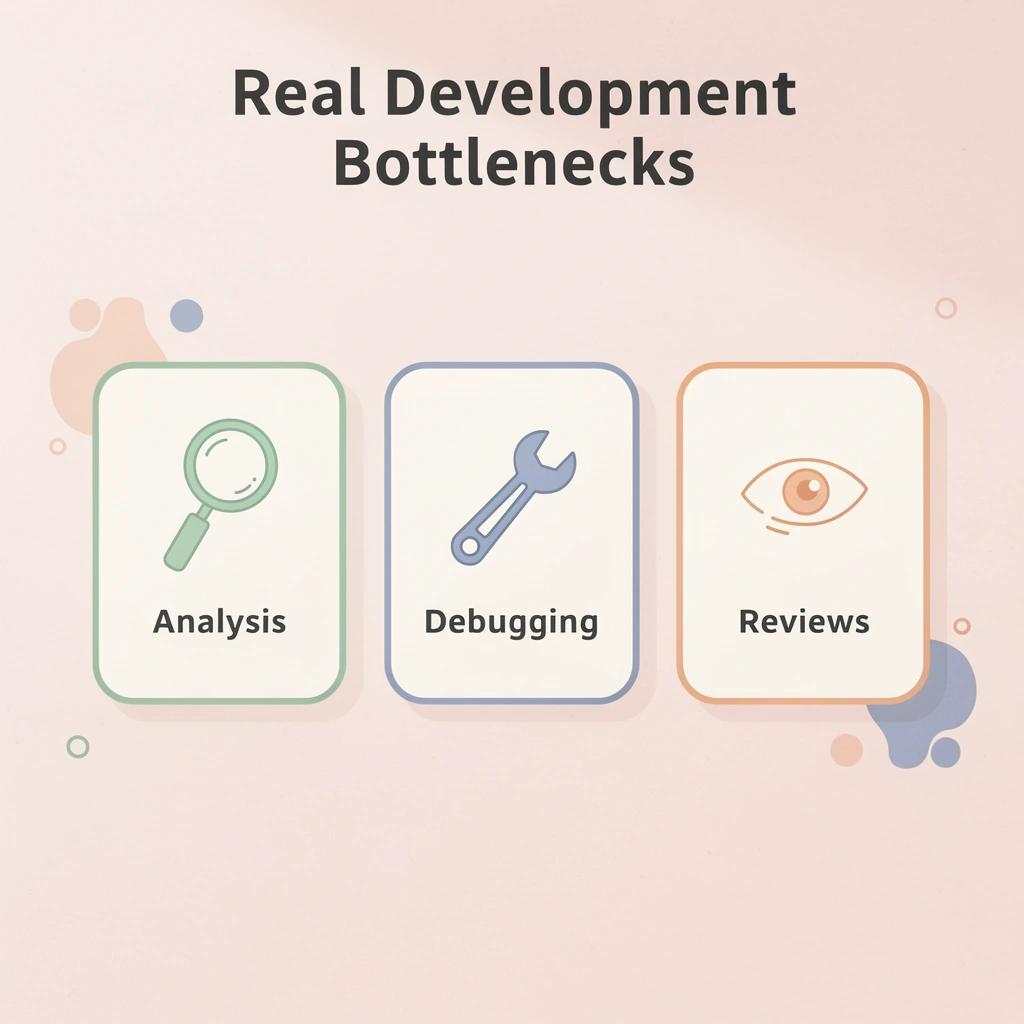
🎯 Key Point: The real development bottlenecks happen during problem analysis, debugging sessions, and code review cycles—not during the actual typing process.
"Most developers spend only 10-20% of their time actually writing new code, with the majority spent on debugging, reading existing code, and planning solutions." — Stack Overflow Developer Survey, 2023
⚠️ Warning: Focusing on editor optimization can become a form of productive procrastination that distracts from addressing the fundamental workflow issues that actually impact your development velocity.
The Real Time Drain
Most developers spend less than 30% of their day writing new code. The rest disappears into environment setup, dependency conflicts, API documentation, deployment pipelines, and context switching between tools. A faster editor saves minutes. The infrastructure tax costs weeks.
When launching a product, you need working authentication, payment processing, email delivery, database migrations, error tracking, and monitoring before users see your interface. Each system requires research, configuration, testing, and maintenance.
Where Founders Actually Get Stuck
Founders download VS Code or switch to Cursor, expecting speed. They get better syntax highlighting and AI completions, then hit the same problems: How do I put this online? Which database should I use? How do I handle user sessions? What happens when this breaks at 2 AM? These questions lack autocomplete answers.
Why do developers focus on changing editors instead of solving real bottlenecks?
A 2023 Stack Overflow survey found developers identified meetings, unclear requirements, and ecosystem tooling friction as their top productivity killers. The code editor ranked near the bottom of actual bottlenecks, yet it remains the first thing people replace when progress slows. Changing editors feels like progress without requiring harder problem-solving.
The Shift From Writing Code to Shipping Products
Traditional development tools assume coding speed is the bottleneck. For solo founders and small teams, the real constraint is the non-coding work required to transform an idea into a functioning business.
How are AI platforms changing the development workflow?
Some teams ask a different question: "does this work need to be done by hand at all?" Platforms like Polsia handle roadmap planning, deployment, and customer communication autonomously. The editor becomes unnecessary when AI writes, tests, and ships code while you focus on strategy.
Even when coding by hand, understanding where time goes changes which tools matter. You stop optimizing keystrokes and start eliminating entire categories of work: choosing tools that reduce the distance between idea and deployed product.
What question should you really be asking about your tools?
The question isn't whether VS Code is good enough, but whether you're solving the right problem at all.
Related Reading
What VS Code Gets Right and Where It Falls Short
What problems did VS Code solve to become dominant?
VS Code became the default development environment by solving real problems for millions of developers. According to Stack Overflow's 2024 Developer Survey, 73% of developers use VS Code as their primary editor. The editor combines flexibility, performance, and ease of use for both new and experienced engineers.
How does the extension ecosystem enable workflow flexibility?
The extension ecosystem lets VS Code adapt to almost any workflow. Whether you're building React applications, training machine learning models, writing Rust system code, or managing Kubernetes clusters, extensions provide the tools you need. You can move from a Python data pipeline to a TypeScript API to a Go service without changing environments or relearning keyboard shortcuts.
What makes VS Code's language support so powerful?
Language support extends to smart code completion, refactoring tools, and built-in debugging. The editor understands TypeScript's type system, Python's import paths, and Go's package structure well enough to catch errors before you run code. When something breaks, you can set breakpoints, check variables, and step through execution without leaving the editor. These features once required expensive commercial IDEs.
Where the Editor Stops and Reality Begins
VS Code makes one part of a much bigger problem faster. No matter how quickly you can write code, you still need to decide what to build, design system architecture, set up infrastructure, test your work, and deploy it reliably. AI tools like GitHub Copilot help you type faster, but they don't eliminate the thinking, planning, or operational work that surrounds development.
Why does project setup consume so much development time?
Setting up a project consumes time that good editors cannot recover. Starting a modern application requires configuring databases, authentication systems, API gateways, monitoring tools, CI/CD pipelines, and hosting environments before writing business logic. VS Code helps you edit configuration files but doesn't set up infrastructure, create services, or handle integration work automatically.
What challenges do non-technical founders face beyond coding?
For non-technical founders, the gap becomes especially hard. Even if AI reduces the code you need to write yourself, you still face product decisions, technical architecture choices, marketing execution, customer support, and operational management. An editor can help you build features, but cannot determine if people want your product, run advertising campaigns, or handle customer communications. Platforms like Polsia take a different approach, providing autonomous AI systems that handle roadmap planning, code deployment, ad management, and customer communication as a unified system rather than requiring founders to manually coordinate each piece through separate tools.
The Real Limitation
VS Code excels at code editing, but that is only a small part of software development. Planning, infrastructure, deployment, operations, marketing, and customer management comprise the rest—challenges no editor can solve.
That's why the conversation about alternatives is shifting from features toward automation.
What to Look for in a VS Code Alternative
VS Code alternatives solve different problems. Some speed up coding, others improve the development experience, some create entire applications, and others let non-technical founders build without code. Discussions about "the best VS Code alternative" become confusing because people compare tools made for different purposes.

💡 Tip: Before comparing alternatives, figure out what you're actually trying to replace. If coding speed is your frustration, one category of tools applies. If launching and operating a business is your challenge, a different category becomes relevant.
🔑 Key Point: The best alternative depends on the specific problem you're solving, not just feature comparisons.

"The most common mistake developers make is choosing tools based on features rather than the actual problem they need to solve." — Developer Survey Analysis, 2024
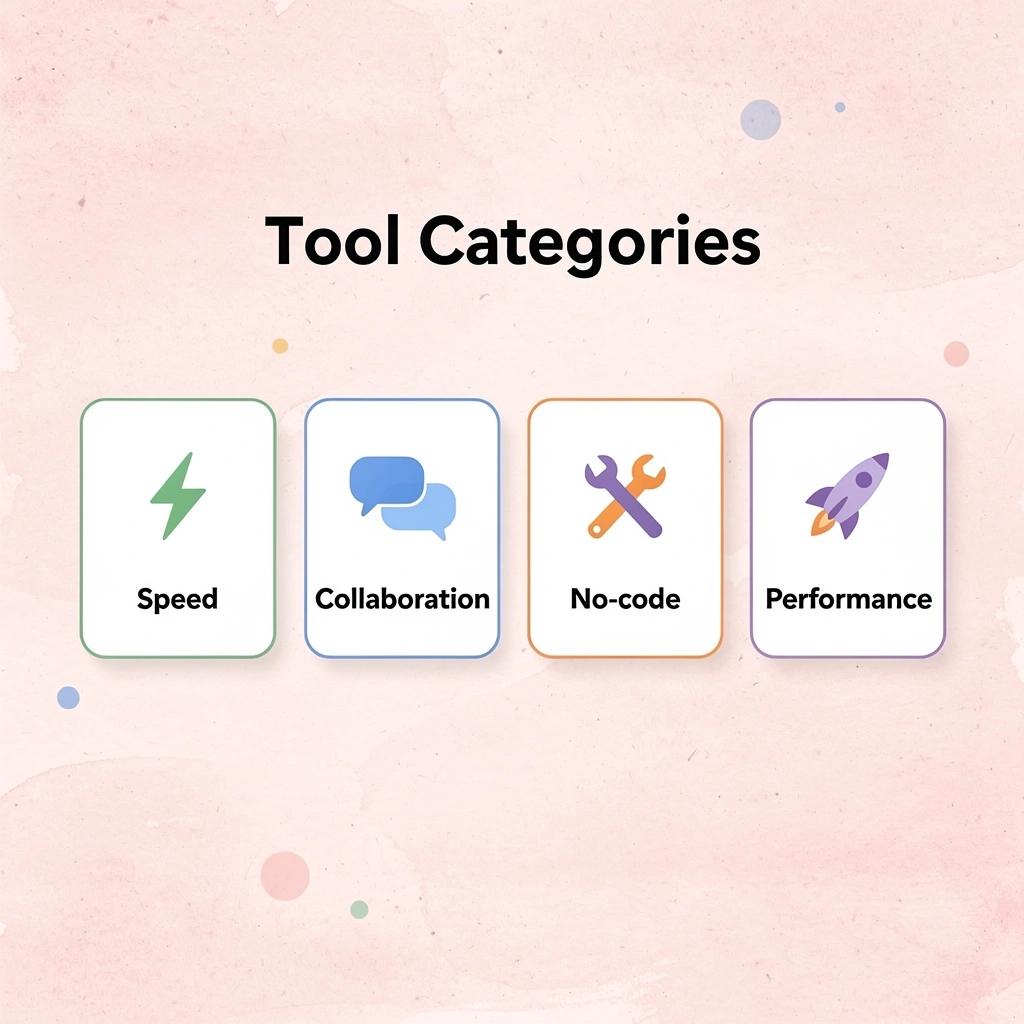
Coding Speed
- Tool Category: Enhanced IDEs
- Best For: Faster development workflow
Business Launch
- Tool Category: No-code platforms
- Best For: Non-technical founders
Team Collaboration
- Tool Category: Cloud-based editors
- Best For: Remote development teams
Performance Issues
- Tool Category: Lightweight editors
- Best For: Resource-constrained systemsResource-constrained systems
⚠️ Warning: Choosing the wrong category of alternative can waste weeks of setup time and create more frustration than your original VS Code setup.
Faster Coding
AI-assisted development tools can generate functions, explain errors, create tests, refactor code, and automate repetitive tasks. If coding is your main bottleneck, these tools may offer significant productivity gains. The key question is whether they meaningfully reduce development time without creating additional complexity.
Better Developer Experience
Some developers prioritize a better environment over automation. Performance, workflow design, debugging capabilities, navigation, customization, and project management directly affect daily developer productivity. The ideal solution is an editor or IDE that matches a developer's preferred workflow: one that creates a smoother development experience, not necessarily one that writes less code.
Full Product Development
For founders and solo builders, creating a working product requires architecture decisions, front-end development, back-end infrastructure, databases, authentication systems, integrations, deployment workflows, and ongoing maintenance. Modern tools automate larger portions of this process. Rather than asking how quickly code can be written, users should ask how much of the product-development process can be automated.
No-Code and Low-Code Creation
Not everyone seeking a VS Code alternative is a developer. Many people have business ideas without technical backgrounds. No-code and low-code platforms eliminate the need for traditional software development by providing visual tools for building applications. The trade-off is typically flexibility: these platforms accelerate development but may offer less control than custom-built software. For many first-time founders, speed and accessibility matter more than maximum customization.
Business Automation
Building software and building a business are not the same thing. After a product launches, founders face challenges with marketing, customer acquisition, operations, support, infrastructure, and growth. A development tool may help create a product, but it doesn't help attract customers or run the company afterward.
How do modern platforms expand beyond development into business execution?
More platforms now extend beyond software development. They help users plan products, start businesses, automate marketing, manage customer communication, and support operations.
Platforms like web app development companies provide autonomous systems that handle development, customer outreach, deal closing, and social media management, compressing what traditionally required an entire team into a single integrated system. For solo founders, this shift from optimizing how you code to eliminating the need to code altogether can determine whether a business launches or stalls.
How should you evaluate VS Code alternatives for your business needs?
Evaluating a VS Code alternative requires understanding your biggest bottleneck. If you spend most of your time writing code, a coding-focused solution may fit. If you spend most of your time launching, growing, and operating a business, you need something broader. The most effective choice is to remove the constraint preventing meaningful progress.
9 Best VS Code Alternatives for Different Needs
The right choice depends on whether you want to write code faster, eliminate coding entirely, or stop writing code altogether. Some tools improve workflows; others remove development from your job description.

🎯 Key Point: Your VS Code alternative should align with your actual goals - whether that's enhanced productivity, simplified development, or complete automation of coding tasks.
"The best development environment isn't necessarily the most feature-rich - it's the one that eliminates friction between your ideas and their implementation." — Developer Productivity Research, 2024

💡 Tip: Before switching editors, identify whether you need better performance, different features, or an entirely different approach to software development.
1. Best for AI-Powered Business Building: Polsia
Most coding tools assume you want to be the one writing software. Polsia starts from a different premise: what if you didn't have to?
How does Polsia handle business operations autonomously?
Instead of working as a code editor, it operates as an independent system that plans roadmaps, ships features, runs marketing campaigns, manages customer conversations, and handles operations around the clock. Most founders fail not from choosing the wrong text editor, but from simultaneously lacking knowledge of product development, marketing, customer acquisition, operations, and strategy. Polsia handles all of it.
Strengths
Independent business planning, complete product development, marketing automation, customer communication, operational support, and no coding required.
Best-fit use case
People who want to start a business and need help building and running it, not just writing code.
2. Best for AI-Assisted Coding: Cursor
Cursor has become the default choice for developers who want AI deeply integrated into their workflow. Built on the VS Code foundation, it enables developers to generate functions, refactor applications, understand large codebases, and navigate projects through natural language.
How does Cursor handle complex development tasks?
AI can understand context across files, making it effective at handling complex refactoring tasks. According to Bito's analysis of development environments, AI-native editors like Cursor can process up to 200,000 tokens of context, allowing them to reason across entire codebases rather than isolated files.
Strengths
AI code generation, codebase comprehension, and natural language development workflows.
Limitations
Still requires traditional deployment pipelines, infrastructure management, and product strategy.
Best-fit use case
Developers seeking an AI-focused coding experience while maintaining familiar workflows.
3. Best for Traditional Development: JetBrains IDEs
JetBrains IDEs remain the choice for developers working on complex, enterprise-scale applications. Products like IntelliJ IDEA, PyCharm, WebStorm, and Rider provide deep language-specific tooling, advanced debugging, intelligent code analysis, and refactoring capabilities that surpass general-purpose editors. The steeper learning curve and higher licensing costs are worthwhile tradeoffs for projects requiring extensive tooling and code intelligence.
Strengths
Advanced debugging, deep language support, and enterprise development features.
Limitations
Higher learning curve and licensing costs.
Best-fit use case
Professional developers working on large or complex applications that require sophisticated tooling.
4. Best for Lightweight Coding: Sublime Text
Sublime Text attracts developers who prioritize speed and simplicity over integrated features. The editor launches in milliseconds, uses minimal system resources, and provides a distraction-free environment for writing code.
Strengths
Fast performance, lightweight architecture, simple workflow.
Limitations
Fewer built-in features and integrations than full IDEs.
Best-fit use case
Developers seeking a fast, minimal coding environment without heavy tooling overhead, particularly on older hardware or when switching between projects frequently.
5. Best for Open-Source Customization: VSCodium
VSCodium gives developers an open-source version of VS Code without Microsoft's data tracking and proprietary customizations. For those preferring a fully open-source approach, it offers a familiar alternative with the same core functionality, though with a smaller ecosystem and limited support for proprietary extensions.
Strengths
Open-source transparency, familiar VS Code experience, extensive customization.
Limitations
Smaller ecosystem support compared to official VS Code releases.
Best-fit use case
Developers seeking an open-source VS Code alternative without sacrificing familiarity.
6. Best for AI Pair Programming: Windsurf
Windsurf focuses on AI collaboration throughout the development process, working as an active partner that understands project context rather than generating isolated code snippets. The AI suggests architectural improvements, identifies potential bugs, and helps navigate unfamiliar codebases.
Strengths
AI-assisted workflows, project context awareness, and coding collaboration.
Limitations
Focused primarily on software development rather than broader business execution.
Best-fit use case
Developers who want AI deeply integrated into their coding workflow beyond basic autocomplete.
7. Best for Cloud Development: GitHub Codespaces
GitHub Codespaces lets developers create cloud-based development environments accessible from almost anywhere, eliminating the need to set up tools locally and helping new team members get started faster. The environment comes pre-configured with necessary tools, add-ons, and settings, making it easier to switch between projects or computers.
Strengths
Cloud-hosted environments, simplified setup, GitHub integration.
Limitations
Ongoing cloud usage costs and dependence on internet connectivity.
Best-fit use case
Developers who want portable, cloud-based development environments without local configuration overhead.
8. Best for No-Code App Building: Bubble
Bubble lets users build web applications using visual development tools instead of traditional coding. It appeals to founders testing ideas, launching MVPs, and building products without hiring developers.
The platform lowers the technical barrier through drag-and-drop interfaces, prebuilt components, and visual logic builders, making software development more accessible. The tradeoff is reduced flexibility compared to fully custom software and potential performance limitations as your app scales.
Strengths
No-code development, rapid prototyping, and accessibility for non-technical founders.
Limitations
Less flexibility than fully custom software; potential performance constraints.
Best-fit use case
Entrepreneurs who want to build applications without learning to code or hiring developers.
9. Best for Rapid Internal Tools: Retool
Retool helps companies quickly create internal business applications using a drag-and-drop interface, integrations, and development tools. The platform excels at building admin panels, data visualization tools, and workflow automation systems that would normally require weeks of custom development.
Strengths
Fast internal tool development, strong integrations, and workflow automation.
Limitations
Primarily focused on internal applications rather than customer-facing products.
Best-fit use case
Teams are building operational software and internal business systems without full development cycles.
Choosing the Right VS Code Alternative
These tools solve different problems rather than competing directly.
Cursor and Windsurf accelerate coding. JetBrains targets professional developers. Sublime Text prioritizes speed and simplicity. VSCodium serves open-source enthusiasts. GitHub Codespaces enables cloud-based workflows. Bubble reduces coding requirements. Polsia helps users build and operate businesses, not write software.
The best choice depends on which bottleneck is holding you back. For developers, that's often coding speed or workflow efficiency. For aspiring founders, it's everything before and after the code.
These tools are changing rapidly.
Related Reading
- Softr Alternatives
- Replit Alternatives
- Mobile App Ideas
- Appsheet Alternatives
- Devin Ai
- Ai Tools For Product Managers
Why AI Is Expanding Beyond Code Generation
The first wave of AI development tools solved a narrow problem: how to write code faster. The second wave tackles a larger question: how to turn code into a functioning business. Most startups fail before technical execution becomes the bottleneck.

🔑 Key Insight: While AI coding adoption has skyrocketed, actual business success rates haven't followed the same trajectory.
According to TechRadar, 92% of developers use AI coding tools, yet successful product launches haven't increased proportionally. Writing code was never the hard part. Deciding what to build, validating demand, acquiring customers, and managing operations consume far more time than implementation. AI code generation solves one piece of a ten-piece puzzle.

"92% of developers now use AI coding tools, yet successful product launches haven't increased at the same rate." — TechRadar, 2025
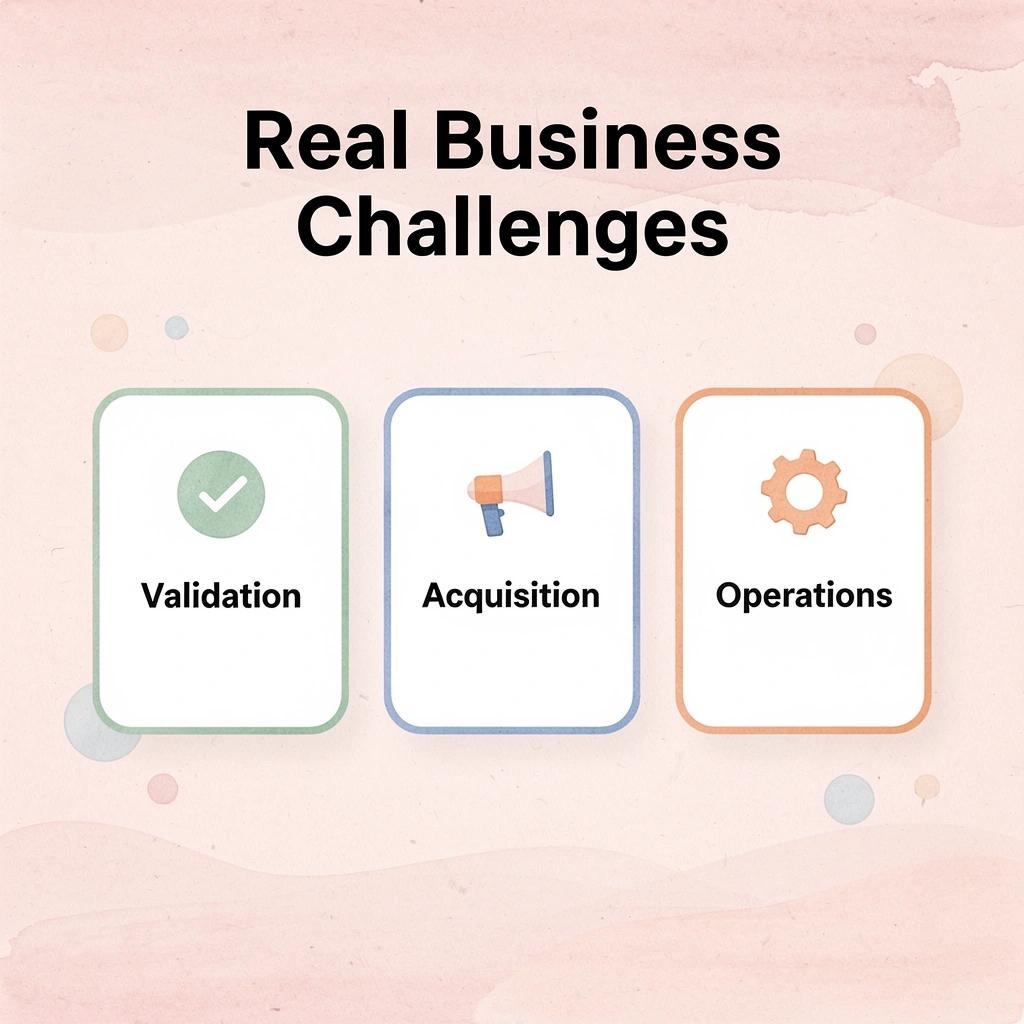
💡 Reality Check: The real entrepreneurial challenges—market validation, customer acquisition, and business operations—remain largely untouched by traditional AI development tools.
Why doesn't faster coding guarantee business success?
Most founders learn this the hard way. They spend weeks building a feature using AI-assisted tools, ship it quickly, then realize nobody wants it. The code works perfectly. The product fails anyway. Research from G2 confirms that AI code generation will be the most productive AI use case, but coding productivity doesn't automatically translate to business productivity.
What happens when coding speed increases?
Faster coding reveals every other problem. Infrastructure setup still takes days. Marketing campaigns require strategy, copywriting, and audience targeting. Customer support demands responsiveness and understanding. Operations need coordination across multiple systems. As code generation accelerates, these tasks become more visible, urgent, and overwhelming for solo founders.
What does full AI execution mean for developers?
The next generation of AI tools handles the entire lifecycle: planning roadmaps, shipping features, running ad campaigns, managing customer conversations, and posting social content. Emerging platforms like Polsia operate as autonomous systems that handle product development, marketing, sales, and operations, allowing founders to focus on vision and strategy and eliminating the need to code.
How does this change the role of coding tools?
This isn't about improving your workflow. It's about removing yourself from the workflow entirely. When AI can plan, build, launch, and operate independently, the question shifts from "which editor should I use?" to "should I be doing this at all?" This challenges the notion that founders need better tools to accomplish more work. Instead, it creates a model where AI does the work while founders decide what the results should be.
The difference between these approaches determines whether you spend time making progress or progress happens without your hours. That's a fundamental shift in how companies get built.
How Polsia Helps Founders Go Beyond Traditional Development Tools
Most development tools speed up coding, but for founders, the real problem isn't typing —it's everything else: turning ideas into plans, validating direction, building infrastructure, launching, acquiring customers, and managing operations. Traditional editors address one small part while leaving the rest untouched.

🎯 Key Point: The bottleneck for founders isn't writing code—it's the strategic execution and business operations that surround development.
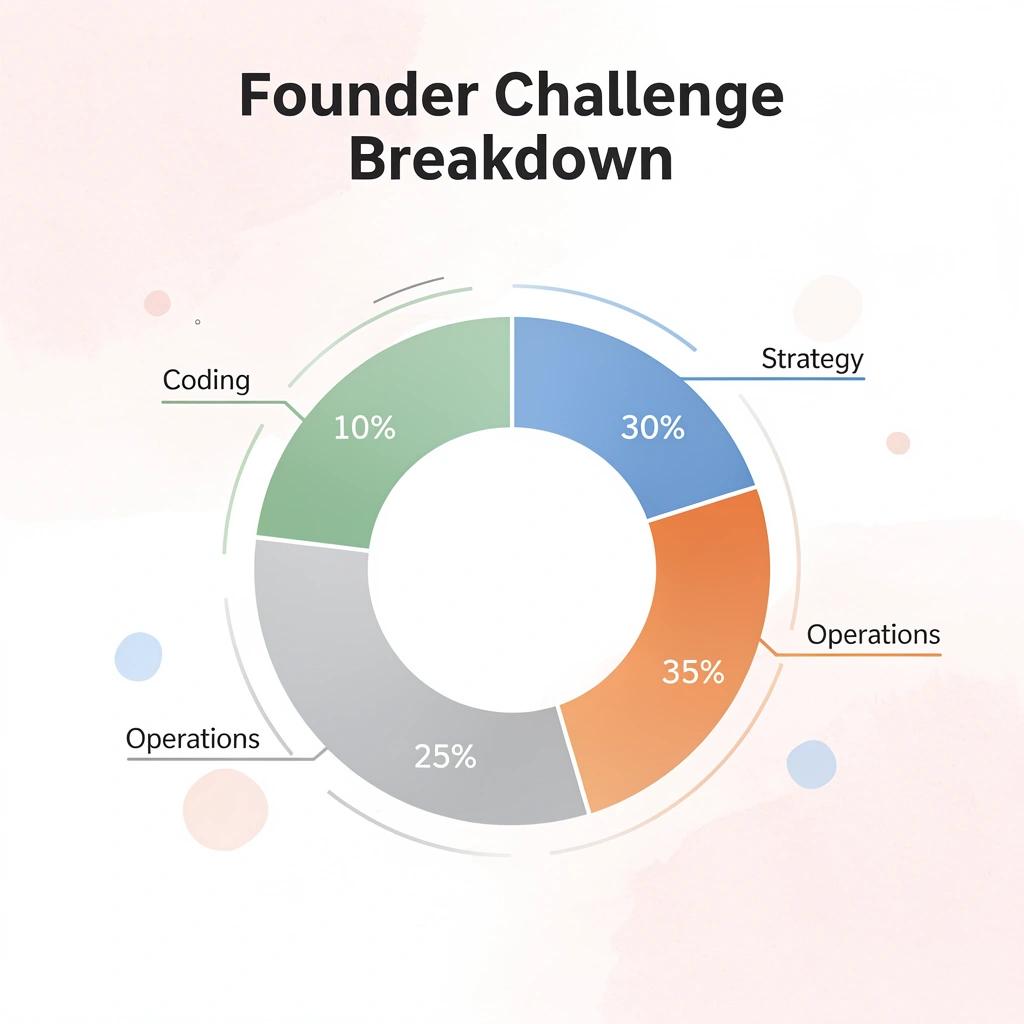
"Traditional development tools solve only 5-10% of a founder's actual challenges, leaving 90% of critical business tasks unaddressed." — Startup Development Analysis, 2024
Polsia operates across the entire business lifecycle as an autonomous system. Rather than serving as a coding environment, the platform functions as an AI co-founder, handling execution while you focus on direction.
💡 Tip: Think of Polsia as your technical partner that manages the operational complexity so you can concentrate on vision and strategy.

What challenges do founders face before writing any code?
The first challenge most non-technical founders face happens before any code gets written. You have an idea and market intuition, but turning that into a structured roadmap requires product thinking that most people lack. What features matter? What's the minimum viable version? How do you prioritize when everything feels important?
How does Polsia bridge the planning gap?
Polsia starts here, with independent planning that turns ideas into actionable plans. Our platform organizes product requirements, identifies testing approaches, and creates implementation plans that account for unexpected technical constraints. This closes the gap between "I want to build something" and "I know what to build first."
Full-Stack Development Without Assembly
Building a traditional product requires skills in frontend, backend, database design, API architecture, and deployment infrastructure. Most founders lack these skills or possess only some of them. Hiring to fill these gaps costs money, creates coordination problems, and causes timeline delays.
According to Ben Cera's LinkedIn announcement, one founder built a company approaching $10M annual run rate with 1 human and 0 employees. This becomes possible when the platform handles full-stack product development, building and deploying MVPs while managing the technical complexity that typically prevents solo founders from launching products.
What challenges emerge after product launch?
When a product launches, the harder problems begin. You have a working application, but nobody knows it exists. Someone needs to run marketing campaigns, generate leads, talk with customers, manage support requests, close deals, and handle operations.
These activities consume more time than development, yet most coding tools offer no support.
How does Polsia handle post-development business operations?
Polsia automates marketing execution, customer communication, and operational workflows. Our platform runs cold email outreach, manages Meta advertising, automates social media posting, handles inbox management, and executes the repetitive work that keeps a business running.
This reflects a fundamentally different philosophy: treating development as one stage within the larger process of building a successful company, not the finish line.
What makes this approach different from traditional coding tools?
Most VS Code alternatives help you write software more efficiently. Polsia helps you build a business more completely. For founders whose biggest obstacle isn't coding speed but execution across every business function simultaneously, that's the difference between optimizing your workflow and eliminating entire categories of work from your responsibility.
Understanding how this works in practice requires seeing what it looks like when someone uses it to translate an idea into revenue.
Start or Grow your Existing Business with Polsia Today
The problem isn't finding a better code editor or faster AI autocomplete. It's the gap between shipping features and running a profitable business. Most founders spend months improving their development setup when the actual problem is that nobody's handling customer outreach, refining positioning based on feedback, or adjusting ad spend while they're deep in implementation details.
💡 Tip: While you're stuck in development mode, your competitors are already talking to customers and iterating based on real market feedback.

"The first session turns an idea into a launch-ready business plan, product roadmap, and execution strategy that our autonomous system begins building right away." — Polsia Platform Features
Polsia starts at $49 per month. The first session transforms an idea into a launch-ready business plan, product roadmap, and execution strategy that our autonomous system begins building immediately. While you validate demand or speak with early users, our platform ships your MVP, configures infrastructure, and prepares go-to-market assets in parallel.
Traditional Approach
- Months in development
- Solo founder bottleneck
- Sequential tasks
- Technical focus only
Polsia Approach
- Immediate execution
- AI co-founder support
- Parallel development
- Full business strategy

🔑 Takeaway: The question is whether you're ready to stop being the bottleneck in your own company. Start today and see what happens when an AI co-founder handles execution across every function while you focus on the vision only you can define.
Related Reading
- Best Mobile App Builder
- No Code Ai Tools
- Ai App Builders
- Best Vibe Coding Tools
- Hire an App Developer
- How To Create An App
- Lovable Ai